

24magic App for Australian Players
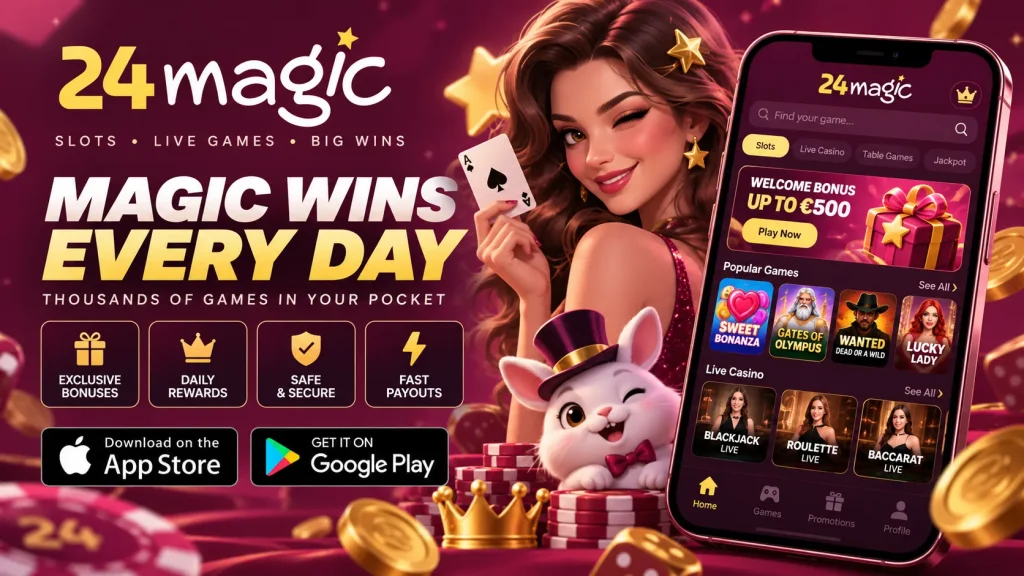
If you play on your phone more than on a laptop, the 24magic app is built for how you actually spend your time. That might be a quick spin on the train, a live blackjack table on the couch, or a cashout before the footy kicks off. We designed 24magic mobile to open quickly, go easy on your storage and keep every feature of the main site within thumb reach. This page explains how to install it on Android and iPhone, what your device needs, and what to expect from payments, bonuses and security, so you can decide with confidence.
Installing the 24magic App on Android and iPhone
Setup takes roughly two minutes on either platform. Google Play restricts real-money gambling apps in many regions, so we supply the Android version as an APK straight from our official site. iPhone and iPad users don’t need the App Store at all. You add our web app to the home screen and it behaves like any other app. Both routes are free and use the same 24 magic account you create or already have.
Android APK, step by step
Open our site in Chrome and tap the 24 magic app download button. The APK is small, so on a normal 4G connection it finishes in seconds. Android will then warn you about installing from unknown sources. That prompt appears for any file outside Google Play, so it isn’t a red flag on its own, but only ever download from our official domain. Tap Settings, allow installs from your browser, go back to the file and press Install. Open the new icon, log in, and the lobby loads. Afterwards you can switch the unknown-sources permission off again, and the app will keep working.
iPhone and iPad via the home screen
Open our site in Safari, tap the Share icon, scroll down, choose Add to Home Screen and confirm the name. You get a full-screen icon with no address bar that launches just like a native app. Because everything runs on HTML5, improvements reach you automatically. There are no manual updates to approve and no storage-hungry downloads. The 24magic mobile experience on iPad is identical, with a wider layout that suits live dealer tables. If you normally use Chrome on iOS, open the link in Safari first, since only Safari offers this shortcut. To remove it, hold the icon and delete it.
What Your Device Needs
The app is deliberately lightweight, so you don’t need a flagship handset. These are the specifications we recommend for smooth play:
| Item | Android | iPhone / iPad |
|---|---|---|
| Operating system | Android 8.0 or newer | iOS 13 or newer (Safari) |
| Free storage | About 150 MB | About 50 MB |
| Memory | 2 GB RAM or more | iPhone 8 or newer |
| Connection | Wi-Fi, 4G or 5G (5 Mbps+ for live games) | Wi-Fi, 4G or 5G (5 Mbps+ for live games) |
Older devices can still use the browser version, but the 24 magic mobile build runs most smoothly on current software. Live dealer streams in particular reward a steady connection over a patchy one. On mobile data, expect modest usage for pokies and noticeably more for live video.
Speed, HTML5 and Everyday Performance
The 24magic app is built on HTML5, and for you that translates into practical benefits. One build runs the same way on phones and tablets, Android or iOS, so you never get a stripped-down version. Games load instantly from the lobby with no plugins and no separate download for each title, which keeps your storage free. Graphics and animations render at near-native smoothness, and the efficient code drinks less battery and mobile data than older casino software. On a decent connection the lobby should appear within a few seconds, and you can jump into a game without watching a progress bar. Compared with the browser, the home screen icon, saved session and tighter layout cut several taps from every visit, which is why many of our players prefer 24 magic mobile for daily sessions.
Registration, Verification and One-Touch Login
Creating an account in the app takes four short steps: email, password, AUD as your currency, and a few personal details. The forms use large fields and the right keyboard for each input, so there’s very little pinching or zooming. After that you can deposit, claim your welcome offer and play. We suggest finishing verification early. Snap a photo of your ID and a recent proof of address from your camera roll, and your first withdrawal won’t be held up waiting for paperwork.
When you come back, switch on Face ID or fingerprint login and the stay-logged-in option on a device only you use. From then on, 24magic mobile opens with a single touch. Forgotten your password? The reset link reaches your inbox within a minute or two. Please never keep yourself logged in on a shared or borrowed phone.
Pokies, Live Tables and Mobile Bonuses
Nothing is cut down for the smaller screen. The 24 magic app lobby covers pokies of every style, including jackpot and Megaways-style titles. It also has blackjack, roulette, baccarat and live dealer tables streamed in HD from professional studios. A search bar and filters for provider, feature and volatility help you find a specific game in seconds, and a recently played row keeps your favourites at the top.
Bonuses work the same way on mobile: a welcome package, free spins and reload offers, sometimes with promotions made for app users. The amounts, wagering requirements, maximum bet, expiry and game contributions are shown on the 24magic promotions page before you opt in, so read them first. Turn on push notifications only if you want promo alerts, and mute them whenever you like.
Deposits and Withdrawals Without the Guesswork
The cashier shows every amount in AUD, and the minimum and maximum limits for each method appear before you confirm. The overview below is indicative, and the cashier always has the final figures.
| Method | Deposits | Withdrawals |
|---|---|---|
| Visa / Mastercard | Instant | Usually 1–3 business days |
| Apple Pay / Google Pay | Instant, one tap | Paid to another saved method |
| PayID / bank transfer | Instant to same day | Usually 1–3 business days |
| Bitcoin / USDT | After network confirmation | Often within hours of approval |
| Neosurf voucher | Instant | Not available (deposits only) |
Withdrawals are where trust is earned, so here is how they work on 24magic mobile. After you request one, there’s a short pending review, then the payout goes out via your chosen method. E-wallets and crypto tend to be quickest, while cards and bank transfers can take a few business days. Complete verification first and withdraw to the method you deposited with wherever possible to avoid delays.
Security and Responsible Play
Everything between your phone and our servers is protected by TLS encryption, and payments pass through secured gateways. Our games use independently tested random number generators, which keeps outcomes fair. Our licensing and company details are listed in the site footer. Please read them, confirm that online gambling is permitted where you live, and make sure you are 18 or over. The 24magic app also includes responsible gambling tools in your account settings: deposit limits, time-outs, reality checks and self-exclusion. If play stops being fun, Gambling Help Online offers free, confidential support on 1800 858 858, any time of day.
Fixing Common Problems and Reaching Support
Most installation hiccups take a minute to fix:
- App won’t install: make sure the unknown-sources permission is enabled for your browser, free up at least 200 MB, and download the APK again from our official site. If you see “App not installed”, delete any older version first.
- Login problems: check Caps Lock, reset your password by email, and confirm your phone’s date and time are set automatically.
- Slow loading: switch between Wi-Fi and mobile data, close background apps, clear the browser cache and restart the device.
- No iOS shortcut: reopen the site in Safari and use Add to Home Screen.
Still stuck? Our support team is available 24/7 through live chat and email. Mention your device model and OS version so we can help faster. We built 24 magic mobile so getting from install to your first spin feels simple and safe.